How to Track ChatGPT & AI Overview Referral Traffic in GA4
Why Most of Your AI Traffic Is Hiding in Plain Sight
Article Index
- Introduction
- The Bigger Shift in Attribution
- Why This Matters
- Why GA4 Misses Most AI Traffic
- How to Set Up AI Traffic Tracking in GA4
- How to Find AI Traffic in Existing Data
- Best Practices
- Challenges
- Future Outlook
- FAQ
Introduction
If you’ve noticed an unexplained bump in your Direct traffic over the past year, there’s a decent chance some of it isn’t actually direct at all. It’s ChatGPT, Perplexity, Gemini, or Copilot sending people to your site, and GA4 quietly filing those sessions under the wrong bucket. Google Analytics wasn’t built with AI assistants in mind, and even with recent updates, a meaningful share of AI referral traffic still slips through the cracks. Here’s how to actually see it.
The Bigger Shift in Attribution
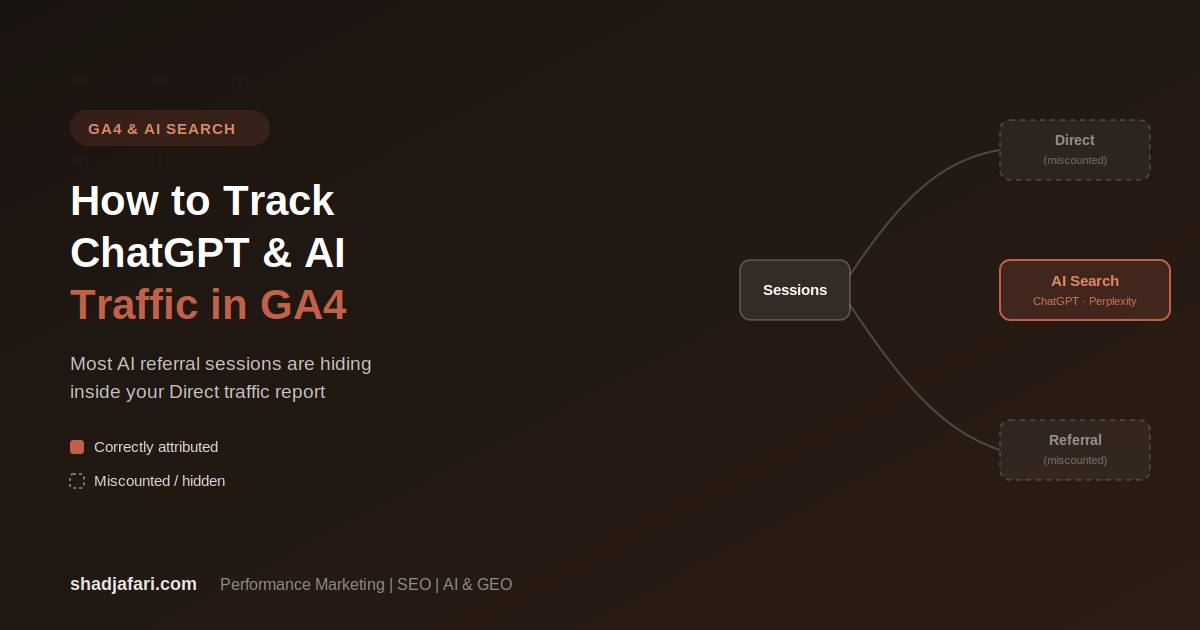
For most of GA4’s life, “channels” meant Organic Search, Paid Search, Direct, Referral, Social, and Email. AI assistants didn’t fit cleanly into any of those, so sessions from ChatGPT or Perplexity mostly landed in Referral (if a referrer header survived) or Direct (if it didn’t). Google introduced a native AI Assistants channel in GA4 in May 2026, which was a step forward, but it only applies going forward and doesn’t reclassify historical sessions. It also doesn’t cover every AI platform out there. For full visibility, most practitioners are still building a custom channel group alongside it.
Why This Matters
- AI-referred visitors tend to be more decision-ready than average organic traffic. They asked a specific question, got a specific recommendation, and clicked through already leaning toward a decision.
- If this traffic is buried in Direct, you’re underestimating the actual value of your content’s visibility inside AI tools, and you have no way to prove ROI on GEO efforts to a boss or client.
- Traffic mix across AI platforms is shifting quickly. Without a dedicated view, you won’t notice which platforms are actually sending you visitors versus which ones are just generating impressions.
Why GA4 Misses Most AI Traffic
The core problem is the referrer header. GA4 can only attribute a session to a source if a referrer header (or a UTM parameter) survives the click. Several things break that:
- Links opened inside a ChatGPT mobile app often launch in an embedded browser that strips the referrer.
- Copy-and-paste links (someone pastes a URL ChatGPT gave them instead of clicking it) carry no referrer at all.
- Even on desktop, not every AI platform passes a clean, recognizable referrer domain.
Independent estimates of how much AI referral traffic arrives with no referrer at all vary widely, but the honest takeaway is the same either way: what GA4 shows you is a floor, not the full picture.
How to Set Up AI Traffic Tracking in GA4
Step 1: Build a custom channel group.
Go to Admin → Data Display → Channel Groups, and create a new channel group rather than editing Google’s default one. Name it something clear, like “AI Traffic,” so it’s easy to find later.
Step 2: Add an AI Search channel with a regex rule.
Inside your new channel group, add a channel and set the condition to match Session source against a regex pattern covering the major AI platforms, for example:
chatgpt\.com|chat\.openai\.com|perplexity\.ai|claude\.ai|gemini\.google\.com|copilot\.microsoft\.com|meta\.ai
Place this channel above Referral in the priority order so qualifying sessions get claimed by it first.
Step 3: Save and apply the channel group.
Unlike the native AI Assistants channel, a custom channel group is applied at query time, which means it works retroactively across your historical data, not just sessions going forward.
Step 4: View it in Traffic Acquisition.
Go to Reports → Acquisition → Traffic Acquisition, and switch the channel group selector at the top from the default group to your new AI Traffic group. You should now see AI Search as its own row.
Step 5: Revisit the regex quarterly.
New AI platforms and domains show up regularly. Check your raw Referral source list every so often for anything that looks like an AI tool you haven’t added yet.
How to Find AI Traffic in Existing Data
If you want to look at AI referral sessions without waiting on a channel group, build a quick exploration:
- Go to Explore → Blank exploration and set a long date range.
- Add Session source (or Session source / medium) as a dimension.
- Add Landing page + query string as a second dimension to see exactly which pages are getting cited.
- Add Sessions, Engagement rate, and Key events as metrics.
- Apply the same regex pattern as a filter on Session source to isolate AI platforms.
This gives you a table of which pages AI tools are actually sending clicks to, and how those visitors behave once they land.
Best Practices
- Don’t edit Google’s default channel group. Always build a copy or a new group so you don’t disrupt existing reporting.
- Run both the native AI Assistants channel and your custom group side by side. The native one is Google-maintained but forward-only; your custom group is retroactive but needs manual upkeep.
- Pair your channel group with an exploration report broken out by landing page, so you know which content is actually being surfaced by AI tools, not just how much traffic arrives in total.
- Treat every AI traffic number as a minimum. Copy-paste visits and stripped-referrer sessions mean the real number is always higher than what GA4 shows.
Challenges
- The regex pattern needs regular maintenance as new AI platforms launch or existing ones change domains.
- A large share of AI-driven visits still arrive with no referrer at all, and there’s no perfect way to recover that data without deeper Google Tag Manager work.
- Custom channel groups can only be applied by users with edit access to Admin settings, so this isn’t a self-serve fix for read-only GA4 users.
Future Outlook
Expect Google to keep expanding native AI Assistants coverage over time, but don’t expect it to fully replace a custom setup any time soon. New AI platforms will keep launching, referrer behavior will keep varying by app and device, and the practitioners who stay ahead here will be the ones treating their channel group as a living document instead of a one-time setup.
Frequently Asked Questions
Does GA4 track ChatGPT traffic automatically?
Not fully. Google added a native AI Assistants channel in GA4 in May 2026, but it only applies to sessions from that point forward and doesn’t cover every AI platform. A custom channel group is still the most complete way to see this traffic, including historical data.
Why is some of my AI traffic showing up as Direct?
When a referrer header doesn’t survive the click, whether from an embedded in-app browser or a copy-pasted link, GA4 has nothing to attribute the session to and defaults it to Direct.
Can I fix historical data with the native AI Assistants channel?
No. It applies forward only. A custom channel group, built and saved in your GA4 property, is applied at query time and does work retroactively.
What regex should I use to catch the major AI platforms?
A common starting pattern is:
chatgpt\.com|chat\.openai\.com|perplexity\.ai|claude\.ai|gemini\.google\.com|copilot\.microsoft\.com|meta\.ai
Update it periodically as new platforms emerge.
Is AI referral traffic actually valuable, or just a vanity metric?
Early data suggests AI-referred visitors tend to be closer to a decision than average organic traffic, since they arrive after already getting a specific recommendation. It’s worth tracking as its own segment rather than lumping it into Direct or Referral.