Google Tag and Google Tag Manager Are Merging: What Changes August 20, 2026
Every Google Tag Just Became a Full Tag Manager Container
Article Index
- Introduction
- The Bigger Shift: One Tagging Platform
- Why This Matters
- What’s Actually Changing
- How to Prepare
- Best Practices
- Challenges
- FAQ
Introduction
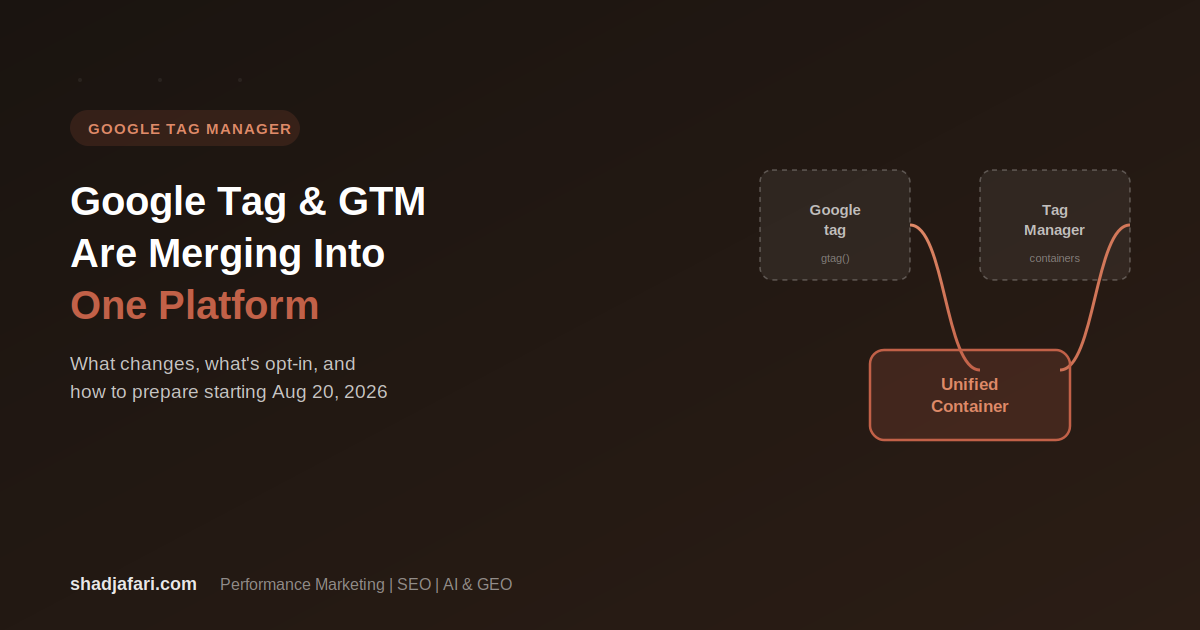
Google announced a set of updates to Google tag and Google Tag Manager on August 20, 2026, and while the headline sounds like a UI refresh, the actual change underneath it is bigger: the two products are being unified into one platform. Sites that only use the standalone Google tag are being upgraded to full Google Tag Manager containers, gaining access to Tag Manager’s interface-driven tagging, debugging, and version control, whether or not anyone asked for it.
The Bigger Shift: One Tagging Platform
For years, Google tag and Google Tag Manager have functioned as two separate paths to the same destination. The Google tag was the lightweight, code-first option: drop in a snippet, configure it with gtag() calls, done. Tag Manager was the heavier, interface-driven option: a container with triggers, variables, and a publish workflow built for teams who wanted more control without touching code directly.
That separation is going away. Every Google tag is being upgraded into a fully capable Tag Manager container behind the scenes. Google is explicit that this won’t change how tags currently behave on your site, but it does mean every new deployment snippet going forward looks different, and it drops the gtag config command in favor of a gtm init trigger for configuring initialization behavior.
Why This Matters
- If you or a developer manages tags by hand-editing
gtag()snippets, that workflow is being phased into Tag Manager’s structure, whether you use the visual editor or not. - Container optimization changes how data reaches Google. Instead of loading extra JavaScript (gtag.js) to relay data to a Google destination, an optimized container can send data directly, which Google says improves site performance.
- Optimization also auto-links your Tag Manager container to your Google destination accounts (Ads, Analytics, etc.) with default “Read” access, which is a permissions change worth knowing about even though it’s adjustable afterward.
- None of this happens automatically to your live setup. Google is explicit that no changes are made without you initiating the optimization flow, but the prompt to do so will start showing up as a banner for anyone with edit, approve, or publish access.
What’s Actually Changing
Simplified interface. The Tag Manager Overview page is getting a new layout with two added sections: a Settings tab (a centralized place for container-wide settings) and a collapsible Advanced tab that houses Triggers, Variables, Templates, and Folders. No existing functionality is being removed, it’s being reorganized.
Google tag and Tag Manager unification. Every Google tag becomes a full Tag Manager container under the hood. Sites that previously only used Google tag directly gain access to Tag Manager’s debugging tools and version control. Each Google destination keeps its own tag, and existing triggers for automation events are preserved.
Container optimization (opt-in). Advertisers using Tag Manager will see an optimization banner prompting them to migrate their container into the new structure. This is where the performance and permissions changes actually take effect, and Google lets you preview every change before publishing it to your workspace.
Visual tagging. Through the unified platform, you’ll be able to define events and set up conversions by selecting elements directly on your site, without writing selector or trigger logic by hand. As of this announcement, it’s in beta specifically for purchase conversions in Google Ads, with broader use cases rolling out progressively through the rest of the year.
How to Prepare
- Check who on your team currently has edit, approve, or publish permissions on your Tag Manager container. Those are the people who will see the optimization banner and be able to act on it.
- Before optimizing, review your current tag setup, especially any custom
gtag configimplementations, since the new deployment snippets are moving toward agtm inittrigger model. - When the optimization banner appears, use the preview step. Google explicitly allows you to review every change before it publishes to your workspace, so treat that as a checkpoint, not a formality.
- After optimizing, check the new account links between your container and your Google destinations (Ads, Analytics, etc.), and adjust the default “Read” access permissions if your team’s access model needs something different.
- If you’re relying on visual tagging for purchase conversions in Google Ads, confirm you’re inside the beta before building a workflow around it, since broader use cases are still rolling out.
Best Practices
- Don’t optimize your container the moment the banner appears. Read through the preview carefully first, especially if your setup includes custom triggers built around the old
gtag configcommand. - Audit account-level permissions after optimization. The automatic “Read” access linkage is a convenience, but it’s still a permissions change worth confirming against your team’s actual access needs.
- If your team manages multiple containers across clients or brands, roll the optimization out to one container first and confirm behavior before applying it broadly.
- Bookmark the container’s version history before making changes. Tag Manager’s version control becomes more central to your workflow once a Google tag-only setup is upgraded into a full container.
Challenges
- Teams that have relied on lightweight, code-first Google tag deployments will need to get comfortable with Tag Manager’s structure, even if they never intended to use the visual interface.
- The shift away from
gtag configtowardgtm inittriggers means any documentation, internal wikis, or onboarding material describing the old setup will need updating. - Visual tagging is still in beta and limited to purchase conversions in Google Ads, so it isn’t yet a full replacement for manual event configuration across every use case.
Frequently Asked Questions
Do I have to do anything right now?
No. Google states that no changes are made automatically. The optimization flow is opt-in and only available to users with edit, approve, or publish permissions on the container.
Will this change how my tags currently behave on my site?
No. Google specifies that the unification upgrade does not change the in-page behavior of existing Google tags. The changes affect the management interface and, if you opt into optimization, how data is transmitted to Google destinations.
What happens to my existing gtag config setup?
New deployment snippets no longer include the gtag config command. Google recommends configuring initialization behavior using a gtm init trigger going forward, which can also be set to preserve legacy config-based setups if needed.
What does container optimization actually do?
It moves your Google tag settings into the new Settings tab, links your container directly to your Google destination accounts with default Read access, and allows data to be sent directly to Google destinations instead of loading extra JavaScript, which Google says improves site performance.
Is visual tagging available for everything now?
Not yet. As of this announcement, it’s in beta specifically for purchase conversions in Google Ads, with additional use cases planned to roll out progressively over time.