Feed Optimization in the AI Commerce Era: The 7 Levers Google Wants You to Fix
Why Your Product Feed Is Now Doing Double Duty for Humans and AI Agents
Article Index
- Introduction
- The Bigger Shift: Two Customers, One Feed
- Why This Matters
- The Four Foundational Actions
- The Seven Feed Optimization Levers
- What’s Coming Next
- Best Practices
- Challenges
- FAQ
Introduction
Retailers have spent years optimizing product feeds for one kind of shopper: a person scrolling, comparing, and clicking. That’s no longer the whole job. Google’s own Shopping team published a playbook in July 2026 making the case that feeds now have to satisfy two entirely different audiences at once, and the gap between brands that treat their feed as a static compliance task versus a living growth asset is starting to show up directly in performance.
The Bigger Shift: Two Customers, One Feed
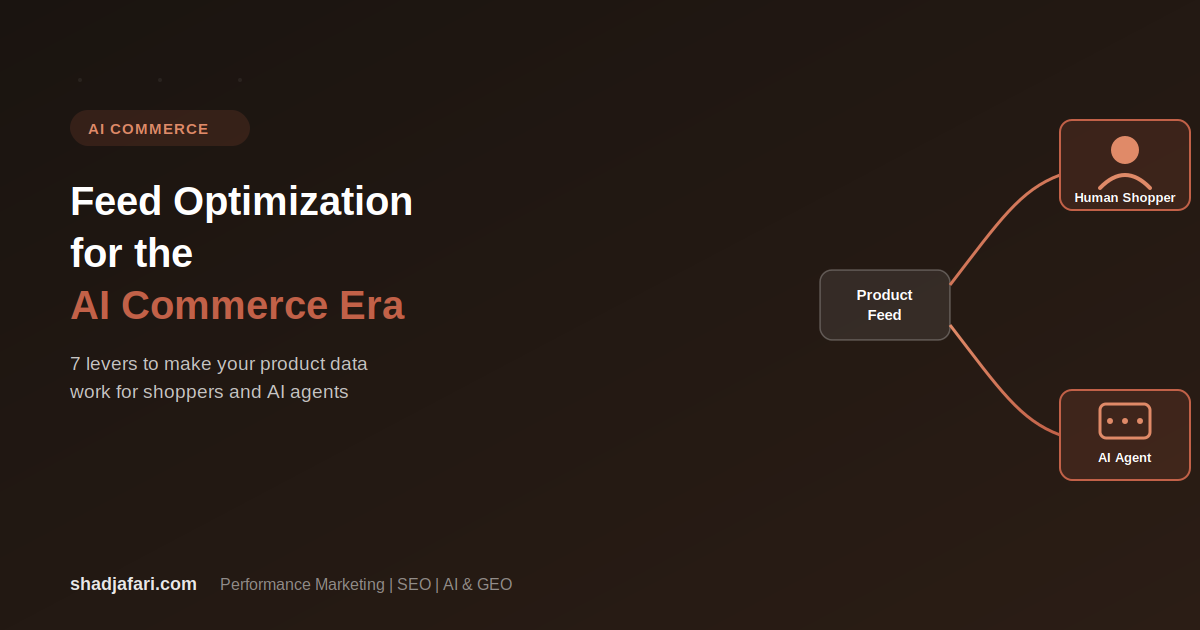
Google frames this as a split between the Human Customer and the Machine Customer. The human shopper is driven by emotion, visuals, and social proof, and needs rich media and a frictionless experience. The machine customer, meaning AI agents acting on a shopper’s behalf, is driven by logic, price-performance, and structured data. It needs clean APIs and a catalog it can actually parse and reason over.
McKinsey has projected agentic commerce could represent trillions of dollars of global B2C retail revenue by 2030, and Google’s own research found the majority of shoppers are already open to trying new brands when searching, largely because AI-powered search has shifted from simple keyword lookup toward a more exploratory, conversational process. People are increasingly using AI Mode and AI Overviews to describe complex, multi-criteria needs in plain language rather than typing a narrow keyword string, and getting tailored recommendations back. For a retailer, that means your product needs to be legible to an AI system doing the matching, not just a person scanning a results page.
Why This Matters
- A feed isn’t just an inventory list anymore. It’s the raw material an AI system uses to decide whether your product is even a plausible match for a shopper’s intent.
- Incomplete or low-quality feed data doesn’t just hurt visibility, it actively excludes you from AI-driven matching that increasingly sits upstream of the click.
- Retailers who treat feed optimization as a one-time setup task instead of an ongoing process are likely to fall further behind as more shopping behavior shifts toward AI-assisted discovery.
- The fundamentals (images, titles, identifiers) aren’t going away. They’re becoming higher-stakes, because they’re now being read by both a person and a matching algorithm.
The Four Foundational Actions
Before getting into specific tactics, Google’s framework centers on four broad habits:
- Maximize AI surface area through scale. Get your entire catalog approved and live so AI systems have the widest possible set of your products to discover and recommend.
- Enrich your feed with data. Refine titles, descriptions, and images so there’s genuinely high-quality information for AI matching to work with, not just enough to pass a basic feed check.
- Treat your feed as a living engine. A feed that’s set once and left alone falls behind. It needs continuous refinement as AI models and shopper behavior evolve.
- Optimize your landing pages to match your feed. Structured data and consistent product information between your feed and your site give crawlers more context and reduce disapprovals.
The Seven Feed Optimization Levers
1. High-quality product images. Images are a shopper’s first point of contact and directly influence click rates. Google’s Shopping team recommends the majority of your catalog use high-resolution images (1500x1500px or larger), with multiple angles per product.
2. Detailed titles and descriptions. Well-optimized text fields match user queries more precisely and reduce truncation in carousel placements. Put your strongest selling points at the front of the title, and use real search-term data to keep your copy aligned with how customers actually phrase things.
3. Product identifiers. Accurate GTINs and brand attributes are what allow Google to correctly classify and target your products in the first place. If you manufacture your own goods, your official store name should be listed as the brand attribute.
4. Shipping and returns. Clear, competitive shipping and return policies remove friction at the point of decision. Set account-level defaults for common cases (like free shipping thresholds) and use item-level labels for exceptions.
5. Enhanced listings. Promotions, sale pricing, and review ratings turn a standard listing into a more compelling one. Keep active promotions synced and make sure star ratings are aggregating correctly.
6. Inventory management. Dropped SKUs, especially high-margin or best-selling ones, quietly cost you traffic. Regularly audit for catalog drop-outs, and consider a catch-all campaign structure to capture orphaned items that fall outside your main product groups. Google’s benchmark target here is having the large majority of your catalog actively targeted within Shopping or Performance Max campaigns.
7. Variants data. Granular attributes like color, size, and style let shoppers filter to exactly what they want. If your product data doesn’t cleanly separate these attributes, feed rules can be set up to extract them automatically from existing titles and descriptions.
Google’s own data point here is worth flagging: offers with more than one product image saw a substantial lift in both impressions and clicks compared to single-image listings, which underlines just how much of this comes down to unglamorous, foundational data quality rather than anything exotic.
What’s Coming Next
Google previewed several tools at Google Marketing Live in May 2026 aimed at extending feed optimization further, though availability varies by market and many of these are still rolling out.
- Conversational data attributes — optional new fields like Question & Answer, Additional Variants, Popularity Rank, Related Products, Document Link, and Item Group, designed to help AI systems answer more specific, long-tail shopper questions directly from feed data.
- Universal Commerce Protocol features — infrastructure aimed at enabling more seamless discovery-to-checkout experiences across Google surfaces, including a unified cross-surface shopping hub that can track deals and stock levels on a shopper’s behalf.
- Ask Advisor for Merchant Center — a conversational assistant built into Merchant Center meant to help diagnose catalog issues and disapprovals in plain language instead of digging through diagnostics manually.
- Customer lifecycle tools — features aimed at separating new-prospect targeting from existing customers, and expanding loyalty-price visibility across listings.
Best Practices
- Audit your feed against the seven levers on a recurring schedule, not as a one-time cleanup.
- Prioritize image and title quality first. They’re the two levers with the most direct, measurable impact on click behavior.
- Keep your landing pages and feed data in sync. A mismatch between the two is a common, avoidable source of disapprovals.
- Don’t wait for 100% perfection before optimizing. Getting your highest-volume SKUs to a high standard first delivers most of the value faster than trying to perfect the entire catalog at once.
Challenges
- Feed optimization at scale is genuinely resource-intensive for catalogs with thousands of SKUs, and quality tends to decay without dedicated ongoing attention.
- Several of the newer AI-focused features aren’t yet available in every market, so roadmaps will vary by region.
- Structured, machine-readable data and rich, emotionally engaging content for human shoppers can pull in different directions, and balancing both inside one feed takes real deliberate effort.
Frequently Asked Questions
What is feed optimization in the context of AI-driven commerce?
It’s the practice of making your product data (images, titles, identifiers, shipping info, and more) complete and high-quality enough that both human shoppers and AI shopping agents can accurately understand and match your products to what someone is looking for.
Why does image quality matter so much for Shopping and PMax campaigns?
Images are typically the first thing a shopper notices, and they directly influence click-through rates. Listings with multiple high-resolution images have been shown to meaningfully outperform single-image listings on both impressions and clicks.
What’s a “catch-all campaign” and why does it matter?
It’s a campaign structure designed to capture products that fall outside your defined, structured product groups, often because of an attribute change or feed error. It helps prevent otherwise-eligible products from silently missing out on traffic.
Are the new AI-focused Merchant Center features available everywhere?
Not yet. Several of the tools previewed at Google Marketing Live 2026, including some of the conversational attributes and Universal Commerce Protocol features, are still rolling out and aren’t uniformly available across every market.
Where can I read Google’s original playbook on this?
Google’s Shopping (CSS) team published the full framework at shoppingsolutions.withgoogle.com.